
New Feature on Client Portal
04-09-2026
By Steve Gibson

We're excited to share a new update to your Gibson Capital & Alpha Innovators client portal. You can now receive updates, market commentary, and reports directly through your portal, on both desktop and mobile.
What's New: The Feed
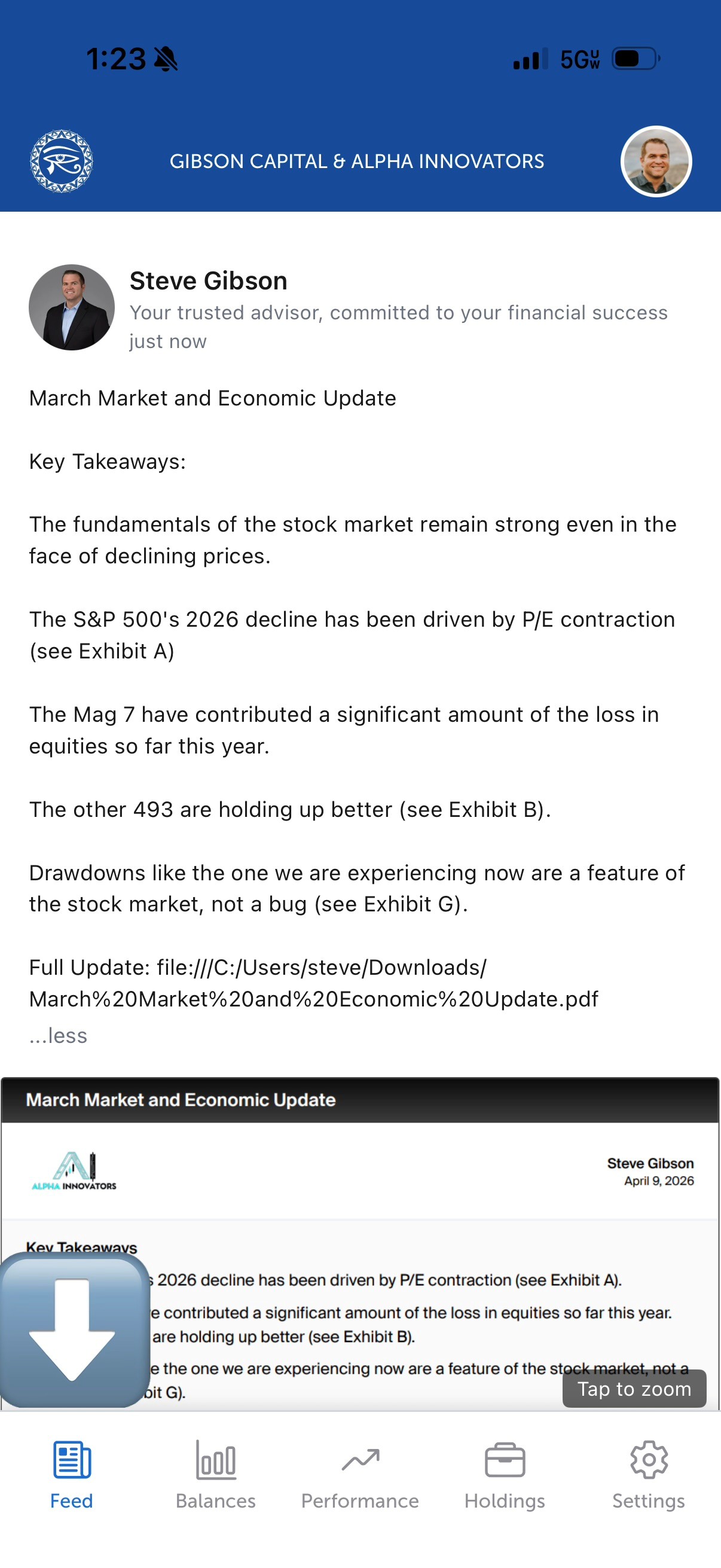
The Feed is a new tab in your client portal that lets us send you updates in real time. Through the Feed, you can expect to receive things like market updates, economic commentary, PDF reports, images, and videos, all in one place, right alongside your account information.
Think of it as a direct communication channel between me and you, built right into the portal you already use to check your balances and performance.
How to Find It
On the desktop portal, look for the Feed tab at the top of your screen after logging in.

On the mobile app, it's the first icon in the bottom left navigation bar.
Desktop: Log in at gibsoncapital.blueleaf.com
Not registered yet? Set up your access here: gibsoncapital.net/client-login
Mobile App: Download below and log in with your portal credentials.
- iPhone: Download on the App Store
- Android: Download on Google Play
Turn On Notifications
To get notified when we post something new, you'll need to enable push notifications on your phone. Here's how:
- Open your phone's Settings
- Tap Notifications
- Find and tap MyAdvisor
- Toggle Allow Notifications on
Once that's set up, you'll get a push notification any time we post an update. You can also adjust your notification preferences directly inside the app if you want more control over what you receive.
Questions?
If you haven't set up your portal access yet or run into any issues, reach out and we'll get you squared away. We're looking forward to using this new channel to keep you better informed.